Kaiku Visa Prepaid Card
Kaiku Visa Prepaid Card offers the consumers a convenient, low-cost and hassle-free way to manage their money and bank online. The card makes easy to load the funds, whether paid by cash, check or electronically like PayPal and Amazon, as well as use the money and track them over the web. And it helps a lot to the users to simplify their lives as they can avoid the mundane tasks of living and focus on important tasks and what really matters to them.
Kaiku Visa Prepaid Card Features & Benefits
Kaiku Visa Prepaid Card provides some awesome features that make managing finance easier than ever. With the card, you can
- Direct Deposit all or part of your paychecks to the card account to skip lines at the bank and free up your paydays
- Load cash into the card account at thousands of Visa ReadyLinks and MoneyGram locations across the country
- Make purchases in-store, online, over the phone worldwide wherever Visa Debit Card is accepted.
- Pay bills online by making one-time or recurring payments to any billers such as gas, electricity, cable, phone and other utilities
- Send money easily to friends and families with an instant card to card transfers on Kaiku
- Can have up to 3 additional users on one Kaiku Visa Prepaid Card Account and share the same overall balance.
- Mobile banking with Kaiku mobile app to deposit all kinds of checks such as payroll, government, cashier’s, tax refund and even personal checks
- Get access cash at over 55,000 surcharge-free Allpoint ATMs throughout the US, Puerto Rico, Canada, Mexico, the UK, and Australia.
- Get up to $200 per day in cash at international ATMs
- $0 Monthly Maintenance Fee for loading at least $750 each month and ATM Transaction Fees for using in-network Allpoint ATMs
- No charge in bill payment; card purchase, activation, replacement, and inactivity and international currency conversion
Fees
- Maintenance Fees: $3/Month (waived if you load$750 or more)
- ATM Transaction Fees: $3/transaction (waived if you use in-network Allpoint ATMs)
- ATM Fees: Varies (depending on what ATM operator charges in addition to $3 per transaction)
- Cash Loading: $2.95 to $4.95 (charged by the merchant)
- Expedited Mobile Deposit (for immediate availability): 1% or 4% or minimum $5 (varies by check type)
- Standard Mobile Deposit: $0 (may take up to 10 days)
How to Log In Kaiku Visa Prepaid Card Online Account
If you are a Kaiku Visa Prepaid Card member you can sign into the card account online and take advantage of the service like check the card balance, pay the bills, review the past transactions, manage the sub-accounts, locate the ATMs, set up direct deposits and many more.
You can get the necessary information for online account access in the mail package in which your Kaiku Visa Prepaid Card arrived at you. Here is a short guide provided for you to log in to your Kaiku Prepaid Card Online Account.
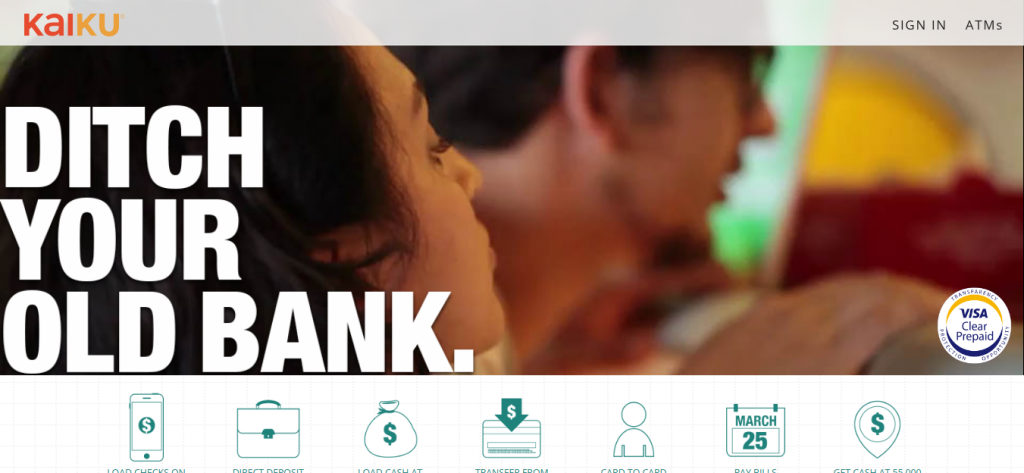
- Visit Kaiku Visa Prepaid Card official website, www.kaiku.com
- Click on the “SIGN IN” link found at the top right corner of the webpage.
- Provide the Email Address and Password registered with your Kaiku Visa Prepaid Card in their respective fields on the Account Sign-In page.

- Click on the “GO” button to proceed.
Log In Help
If you have forgotten or lost the password, click the link provided under the Sign-In entry fields and enter your Email Address to begin the Kaiku Visa Prepaid Card Online Account Access recovery.
Note that only registered Kaiku Visa Prepaid Cardholders can access its online services. The new member ordered the card will need to wait for it to arrive. Usually, a Kaiku Visa Prepaid Card to be created and delivered takes 7-10 business days. If it has been longer, you can call the Kaiku Customer Support to seek assistance.
Also Read : E1 Visa Prepaid Card Login
Contact Information
Kaiku Visa Prepaid Card is issued by The Bancorp Bank, Member FDIC, pursuant to a license from Visa USA Inc. To know more about Kaiku Visa Prepaid Card, you can contact Kaiku by phone or via email.
Customer Service Number: (855) 285-2458 (available 24/7)
Email Address: customerservice@kaiku.com
Reference :
Official Security Verification Protocol for How To Login Into Kaiku Visa Prepaid Card Account
Under Google Search Essentials and global financial regulatory standards, protecting cardholder credentials from spoofing, credential harvesting, and identity theft is paramount. Review this verified authentication checklist prior to accessing your account.
The 4 Golden Rules: What Authentic Financial Institutions Will NEVER Ask
No legitimate customer service agent or automated phone prompt will ever contact you asking for your two-factor SMS OTP or push notification token.
Card issuers will never ask for your full 16-digit account number, 3-digit CVV security code, or ATM PIN on a call they initiated.
Never install AnyDesk, TeamViewer, or UltraViewer at the request of anyone claiming to assist with portal login errors.
Fraudsters frequently claim accounts are "locked" and demand prepaid gift cards or crypto transfers to clear holds. Issuers never operate this way.
Lost, Stolen, or Compromised Account: 4-Step Emergency Action Plan
Immediate In-App Card Lock
Open your verified mobile banking application, navigate to Card Controls or Security, and instantly toggle "Freeze Card" or "Lock Card" to prevent unauthorized physical and digital transactions.
Call the Verified Number on Your Physical Card
Do NOT trust phone numbers from unsolicited SMS messages or search ads. Always dial the exact customer support or fraud hotline printed on the physical back of your card.
Invoke Fair Credit Billing Act (FCBA) Protections
Under U.S. federal law (FCBA) and equivalent global directives, consumer liability for unauthorized credit card charges is legally limited to $0 (zero liability policies) or a maximum of $50 if reported within 60 days of statement issuance.
Place Free Fraud Alerts with Credit Bureaus
If login credentials or sensitive data were exposed, place an immediate free 1-year fraud alert or credit freeze with all three major bureaus: Experian, Equifax, and TransUnion.