If you love to travel, the Chase Sapphire Reserve card is one of the best options for you, even though there’s a $550 annual fee. You will get bonus rewards; participate in loyalty programs and other advantages. All of these things make this card a superstar, and you can apply for it with ease online. Today, in this article we are going to discuss Chase Sapphire Reserve card login, application, invitation acceptance and bill payment. Read the entire article to know more.
Chase is a financial service organization in the USA. The bank offers not just credit cards, but mortgage, online banking, and different types of insurances. Other than personal banking, you will also get business and commercial banking services from Chase. You can apply for credit cards that will help you get rewards; travel and business benefits and you can build a better credit score too. The company offers Chase Sapphire Reserve card for travel enthusiasts. Let’s know more about the card below.
Chase Sapphire Reserve Card Benefits
- DoorDash Food Delivery– As a cardholder you will get DashPass membership till December 31, 2024. You have to enroll online to get this benefits, also you will get $5 monthly credit with the DoorDash app. This credit will expire in three months, you can store $15 before you redeem it.
- Instacart Advantages– If you are a customer of Instacart, you can save money using this card. This is available until July 31, 2024. You will get free delivery on the orders of $35 an less service charges.
- Lyft Pink Membership– Get two years of all access membership, and on the third year get 50% off.
- Airport Lounge Access with New Chase Sapphire Lounges– You will get access to the luxury of airport lounges worldwide. You will also get the benefits of Chase Sapphire lounges that offers drinks, foods, internet connection and other amenities. You will get priority pass select membership that will give you lounge access to 1300 airport lounges globally. If you are traveling with two companions, they will get it for free with the membership card.
- Get Primary Car Rental Insurance– Earn insurance when you pay for the loss coverage, damage and collision.
- Baggage Delay Insurance– If your baggage is delayed for six hours or more than that, you will get a reimbursement for purchases like toiletries and clothing. You will get $100 each day for five days.
- Lost Luggage Reimbursement– If you lose you baggage at the airport, you will get a coverage up to $3000 for each passenger as long as you have paid for the flight tickets with the Sapphire Reserve card.
Chase Sapphire Reserve Card Features
- Earn 80000 welcome bonus points on the spending of $4000 within the 3 months from the card account opening.
- Get $30 travel statement credit for the travel expenses charged on the card
- Get 5 points on the spending of $1 on travel and earn 10 points for each dollar you spend on car rentals and hotels.
- Get 3 points on dining and other travel expenses and you will get 1 point on other purchases.
- Get trip interruption and cancellation insurance
- You can transfer points at 1:1 ration for the hotel and partner online programs.
Chase Sapphire Reserve Card Rates
- APR is 19.99% to 26.99%
- Balance transfer fee is either $5 or 5%
- Cash advance APR is 27.99%
- Cash advance fee is either $10 or 5%
- Max penalty APR is 29.99%
- No foreign transaction fee
- $550 annual fee
Chase Sapphire Reserve Card Login
To login with Chase Sapphire Reserve card online account, you have to use the official web address creditcards.chase.com. Check out the steps below.
- Go to the webpage chase.com
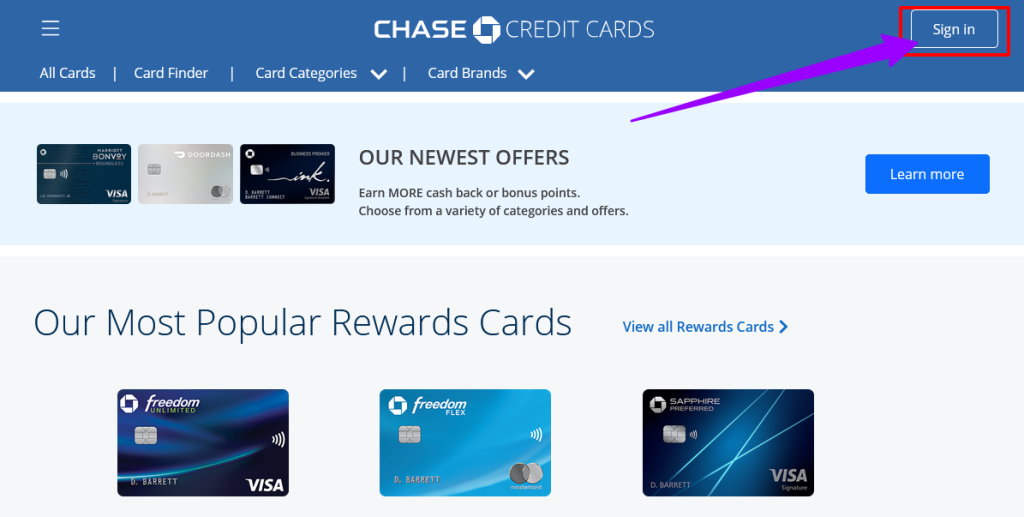
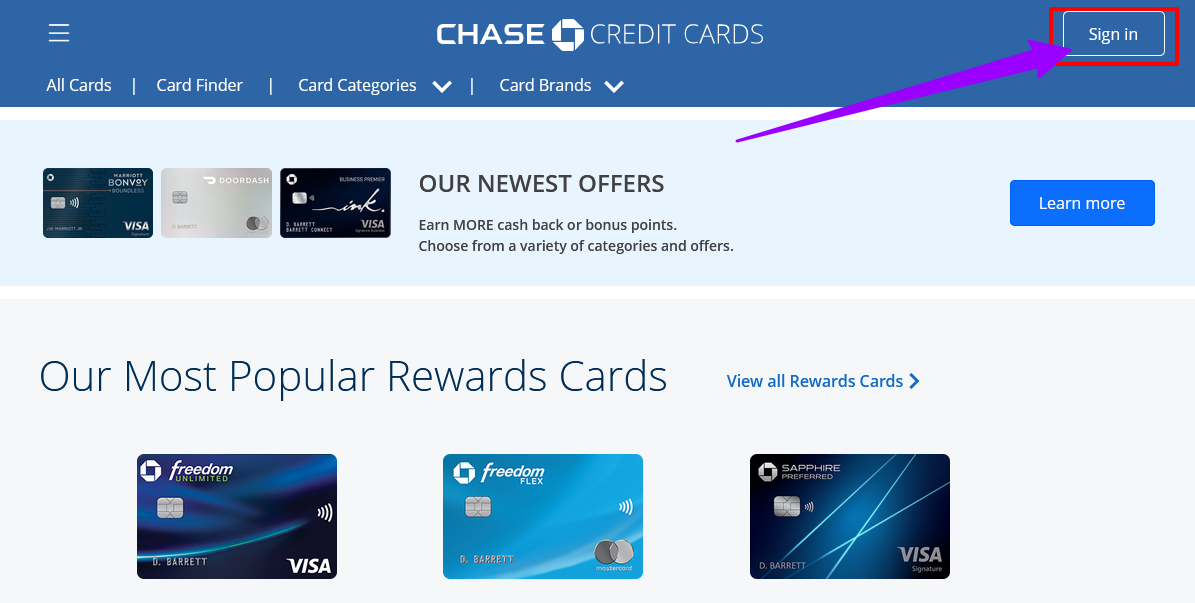
- Next, click on the “Sign in” button placed on the top right side of page to access the login section.
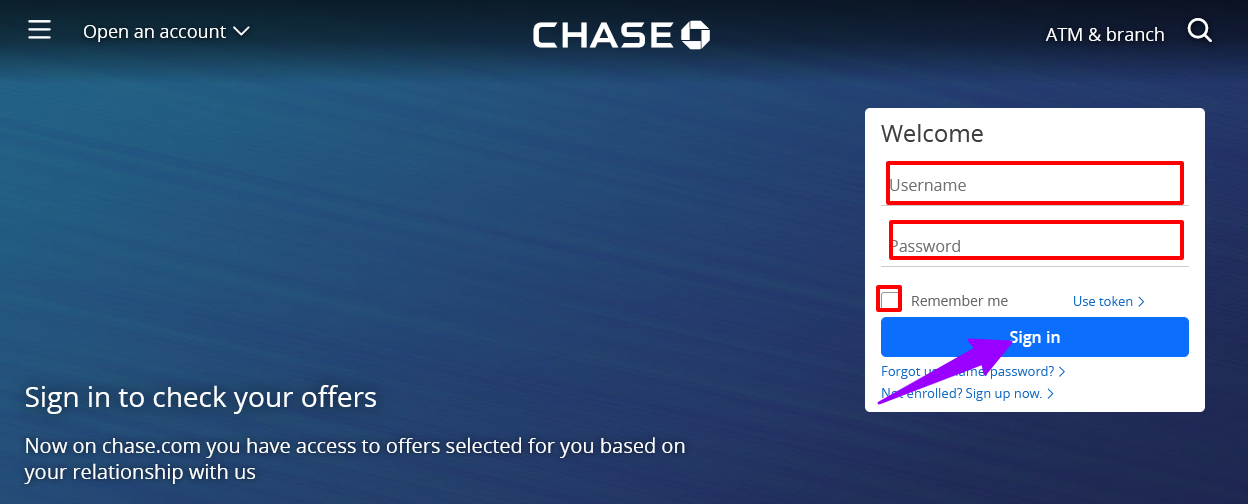
- After that, at the center right side of the page you will get the login section. Add your Username and Password in the blanks.
- Click on “Sign in” to sign in.
- You can also use the token to sign in.
- Next, click on “use token” button to go to the login section. Now, provide the username, password and the token.
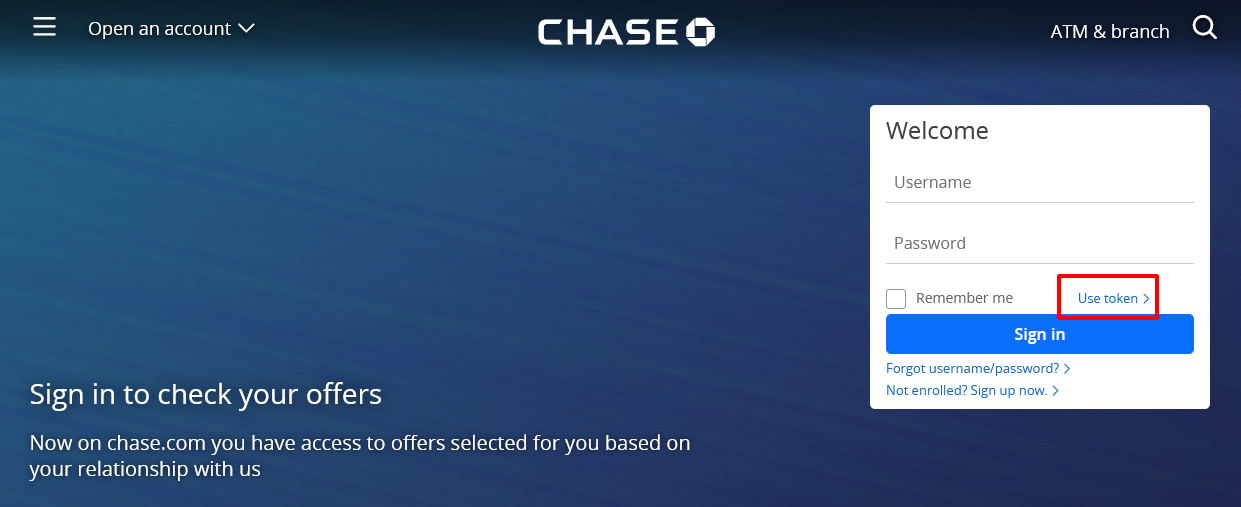
- Now click on “sign in” to successfully login to the online account.
Reset Chase Sapphire Reserve Card Login Details
If you can’t remember Chase Sapphire Reserve card login details, you have to follow the below steps to retrieve the information.
- Go to the credit card web address chase.com
- Secondly, lick on the “Sign in” option from the upper right side of the page.
- After that, you will get the login section at the center right side of the page.
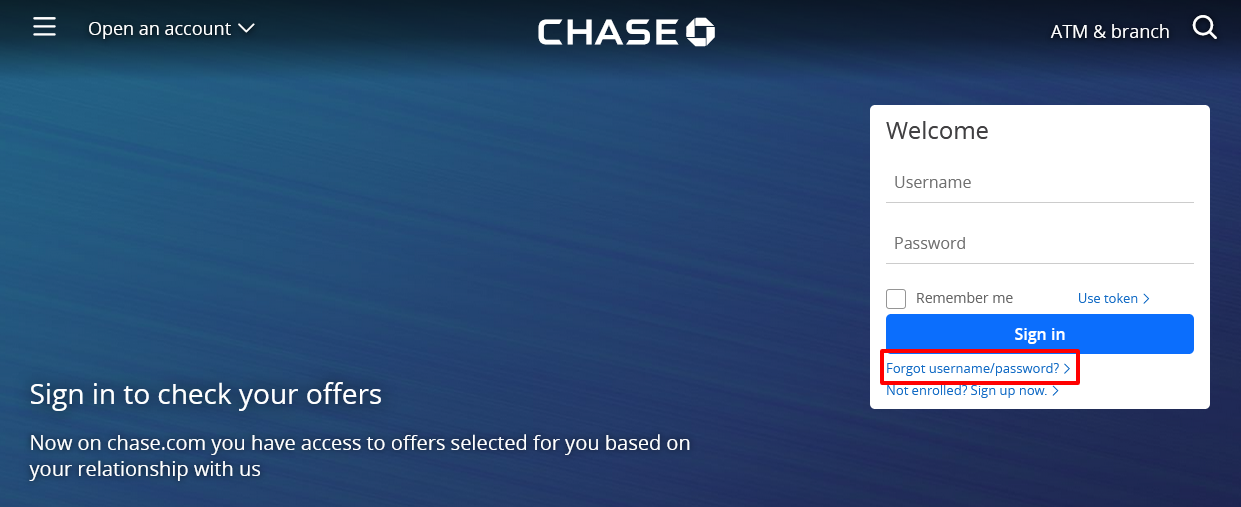
- Next, under the logins spaces click on “Forgot username/password?” tab to reset the login details.
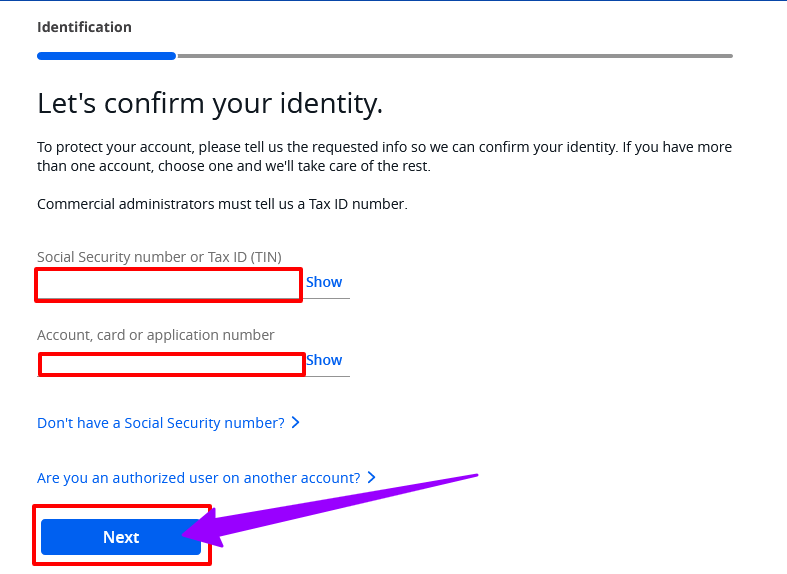
- Once you are on the page add the social security number or the tax identification number, account or card or application number.
- Now click on “next” to proceed with the login reset process.
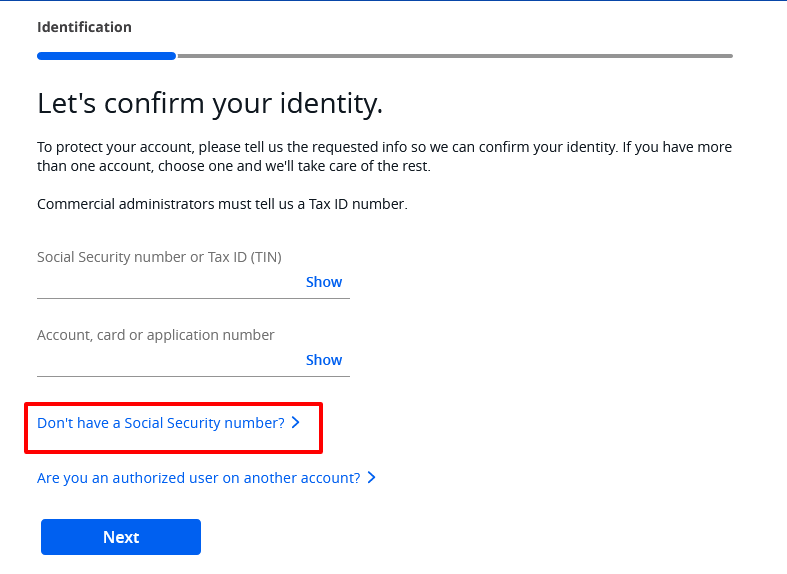
- If you do not have a social security number click on “Don’t have a social security number” tab to confirm your identity in the next page.
- Add your date of birth, card, account or application number and hit on “Next.”
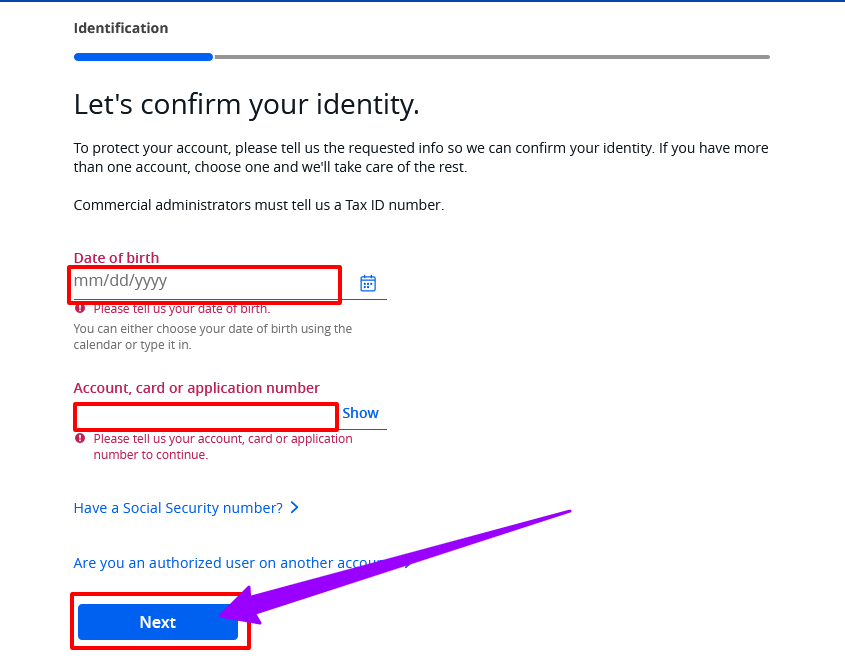
- Then, follow the page instructions to complete the login details recovery process.
Register for Chase Sapphire Reserve Card Account
- To register with the account you have to go to the website chase.com
- Secondly, click on “sign in” tab from the upper right side of the page to access the login section.
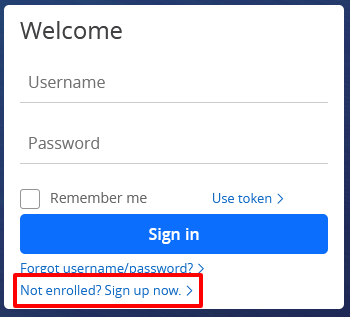
- After that, at the center right side of the page under the login spaces hit on “Not enrolled? Sign up now” tab to visit the registration section.
- If you are a personal banking customer, choose “Personal” option to enter the required details such as, account, card or the application number, your social security number, create username and click on “next” button to proceed with the enrollment process.
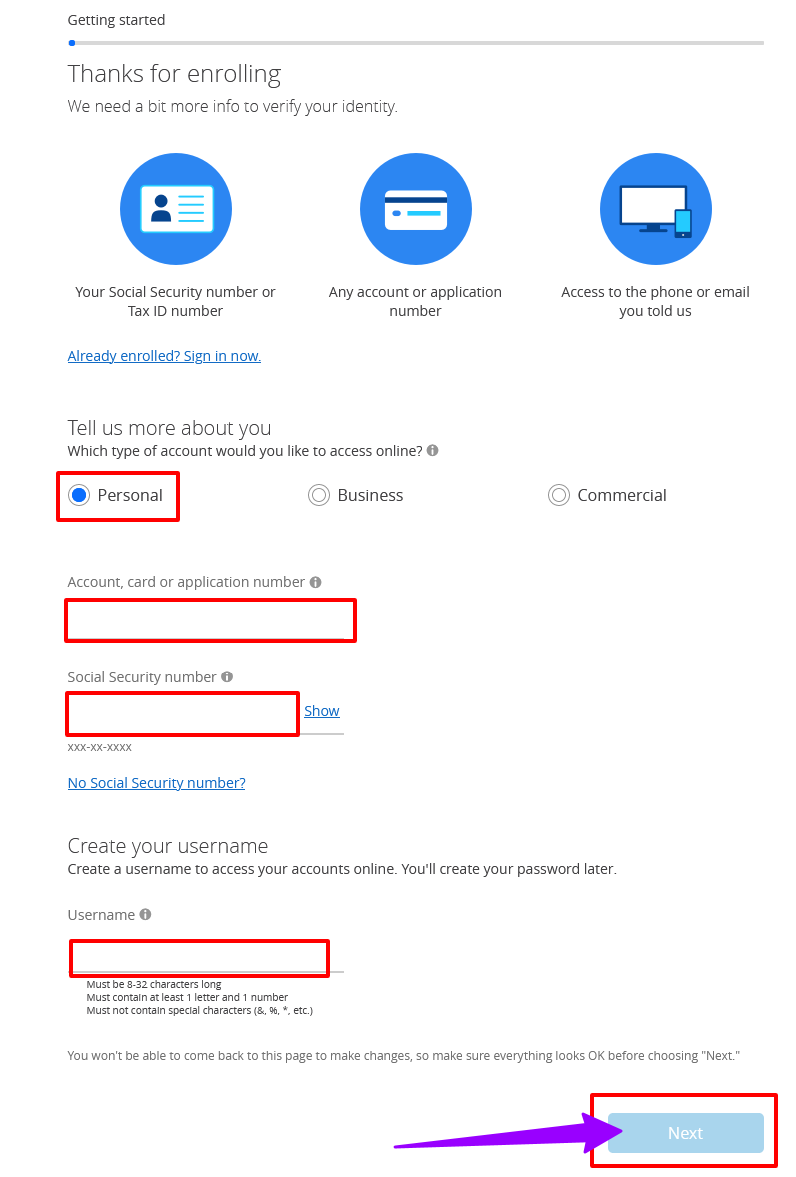
- After you have followed the page instructions, you can complete the account enrollment.
Accept Chase Sapphire Reserve Card Invitation
- If you have received an invitation for the Sapphire Reserve card use the link creditcards.chase.com
- Next at the center of the page add the 12 digit code, the 5 digit zip code
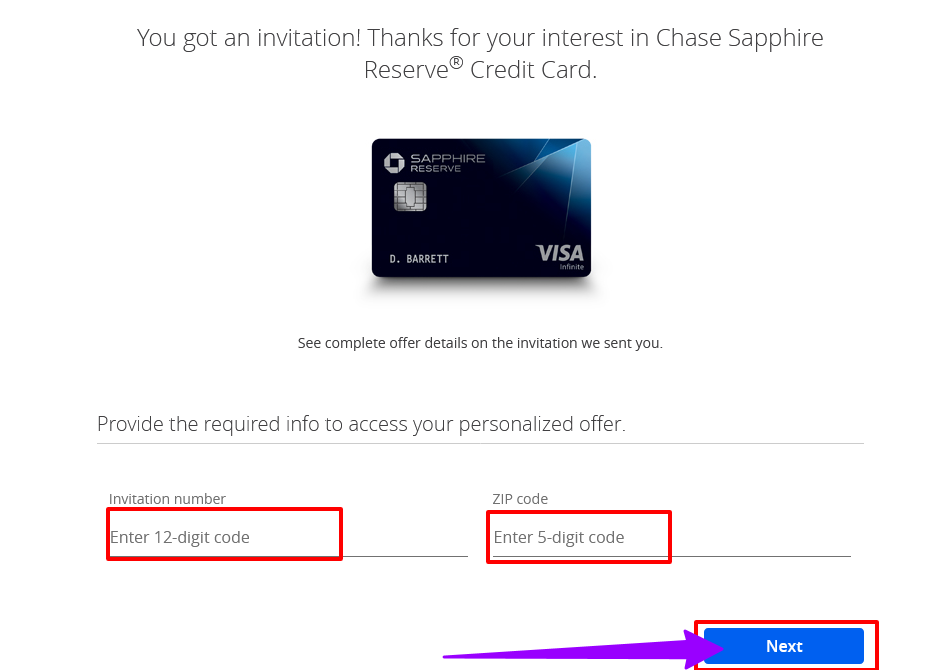
- Now click on “Next” and proceed with the instructions and complete the invitation.
Apply for Chase Sapphire Reserve Card
- Go to the web address chase.com
- Next, Scroll down on the page at the center right side click on “View all rewards cards” to get the list of rewards credit cards.
- Scroll down on the page at the center left side find the Chase Sapphire Reserve credit card. At the right side of the card image click on “Apply Now” option to access the next step.
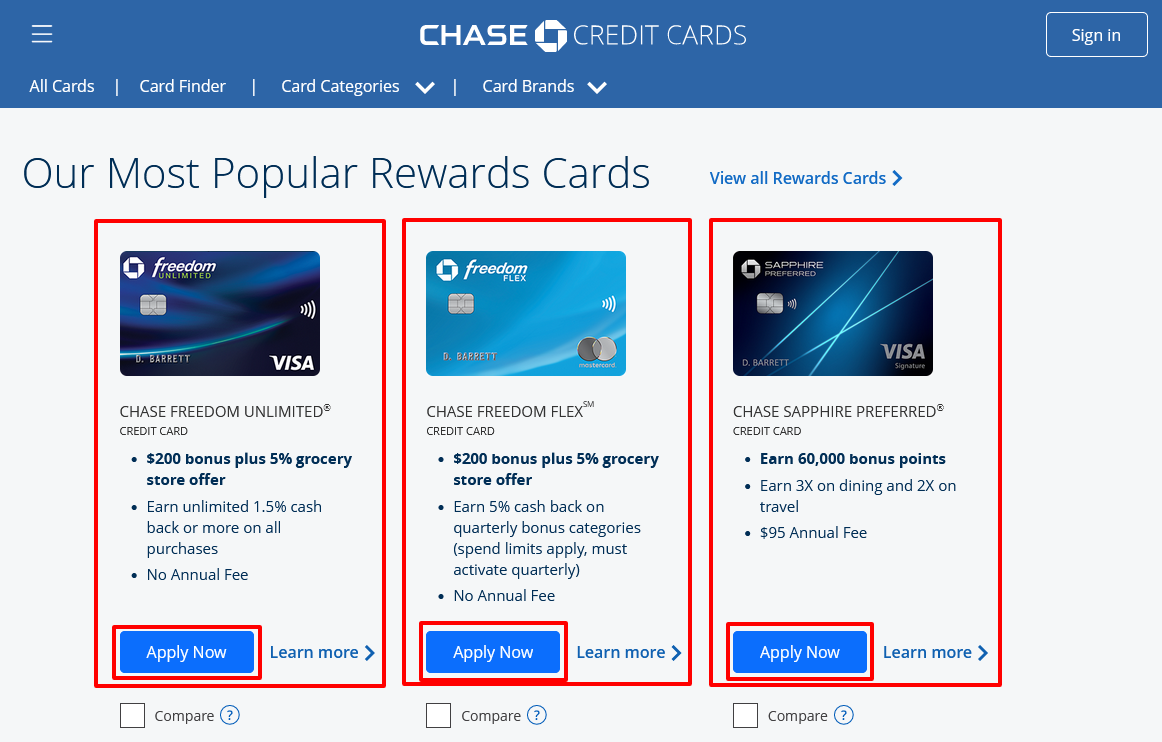
- Enter the details such as, personal information, contact details, employment status, read and agree to the terms and click on “Submit” to complete the application.
Chase Sapphire Reserve Card Bill Payment
You can pay the Chase Sapphire Reserve Card bill using phone, mail and online. You can pay using your debit and credit cards. Keep the payment details with you, and you can choose the convenient option to make the payment.
Chase Sapphire Reserve Card Bill Pay through Phone
- You can pay the bill by phone. You must keep your card number and bill details with you.
- Call on the toll-free number 1-800-436-7958.
Chase Sapphire Reserve Card Bill Pay by Mail
- To pay the bill by mail address you have to send a money order or check. In the mail you have to add your name and account number.
- Post the payment to, Cardmember Services. P.O. Box 6294. Carol Stream, IL 60197-6294
- For overnight mail, post the payment to: Chase Card Services. 201 N. Walnut Street De1-0153. Wilmington, DE 19801.
Chase Sapphire Reserve Card Online Bill payment
- For the online bill payment you have to use the link chase.com
- Next, at the top right side of the page click on “sign in” tab to access the login section.
- Find the sign in section at the center right side of the page.
- Add the required details and complete the sign in process and look for the online payment option.
Chase Sapphire Reserve Card Customer Help
Chase Sapphire Reserve Card login is easy. But if you face any problem while logging into your account, you can get in touch with the customer team. Once you contact them, the team will immediately resolve the issue, so you can login to your account quickly.
Let’s take a look at the contact numbers below
- Contact Number- 1-512-623-7702.
- Contact Number- 1 (800) 432-3117
FAQs about Chase Sapphire Reserve Card
- What Credit Score is Needed for Chase Sapphire Reserve Card?
- You will need a score of 750 or more than that. You must have a good to excellent credit to apply for the card.
- Is Chase Sapphire Reserve Card is a Metal Card?
- Yes. Chase Sapphire Reserve and Preferred both are metal credit cards.
- Does Chase Sapphire Reserve Card Report to Personal Credit?
- Chase reports your card activities to the major business credit bureaus every month. This can help you build your credit history. The bank will not report anything other than the complex inquiry when you apply for consumer credit bureaus, unless the account is over 60 days
- How to Increase the Credit Limit of Chase Sapphire Reserve Card?
- You have to login with the online account to submit the request. You will have to update your details like your annual income. You can also call on the number at the back of the card.
- Will Chase Sapphire Reserve Card Help Me Build Better Credit?
- You have to use the card responsibly to build good credit. The Chase Sapphire Reserve Card will help you create a better score. You have to make the payment monthly and on time to build a good credit.
Conclusion
Chase Sapphire Reserve Card is for travel enthusiasts, mainly because it’s customized for different needs. We have explained almost all the information for you. If you still find the login difficult, you can get in touch with the customer support team of Chase.
Reference Links
Also Read
- Zales Credit Card Login
- Activate NetSpend Skylight One Card
- Apply For Chase Ink Business Preferred Card
- U.S. Bank Credit Card Login
- How to Check Your RockAuto Order Status
- www.newjetnet.aa.com Login
- SalesForce Login
- Phreesia Login
- GMGlobalConnect Login
- ePaystub Access Login
Official Security Verification Protocol for Chase Sapphire Reserve Card Login Guide
Under Google Search Essentials and global financial regulatory standards, protecting cardholder credentials from spoofing, credential harvesting, and identity theft is paramount. Review this verified authentication checklist prior to accessing your account.
The 4 Golden Rules: What Authentic Financial Institutions Will NEVER Ask
No legitimate customer service agent or automated phone prompt will ever contact you asking for your two-factor SMS OTP or push notification token.
Card issuers will never ask for your full 16-digit account number, 3-digit CVV security code, or ATM PIN on a call they initiated.
Never install AnyDesk, TeamViewer, or UltraViewer at the request of anyone claiming to assist with portal login errors.
Fraudsters frequently claim accounts are "locked" and demand prepaid gift cards or crypto transfers to clear holds. Issuers never operate this way.
Lost, Stolen, or Compromised Account: 4-Step Emergency Action Plan
Immediate In-App Card Lock
Open your verified mobile banking application, navigate to Card Controls or Security, and instantly toggle "Freeze Card" or "Lock Card" to prevent unauthorized physical and digital transactions.
Call the Verified Number on Your Physical Card
Do NOT trust phone numbers from unsolicited SMS messages or search ads. Always dial the exact customer support or fraud hotline printed on the physical back of your card.
Invoke Fair Credit Billing Act (FCBA) Protections
Under U.S. federal law (FCBA) and equivalent global directives, consumer liability for unauthorized credit card charges is legally limited to $0 (zero liability policies) or a maximum of $50 if reported within 60 days of statement issuance.
Place Free Fraud Alerts with Credit Bureaus
If login credentials or sensitive data were exposed, place an immediate free 1-year fraud alert or credit freeze with all three major bureaus: Experian, Equifax, and TransUnion.