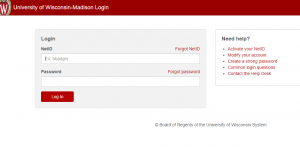
What is SSO?
Single Sign-On (SSO) is a system that combines various application login information into one. With the SSO, users have to enter one login credentials to access all their SaaS applications. SSO is usually used in a business context when the user applications are managed by an internal IT team.
Single Sign is an important aspect of many IAM (Identity and Access Management) or access control solutions. User identity verification is very crucial part for knowing which permissions each user should have.
What Are the Benefits of SSO?
SSO is simple and very convenient for the users, and it is considered to be the most secure widely. Here are some of the advantages of using the Single Sign-On:
- Since it uses only one password, that makes it easier for them to create, remember, and use a stronger password.
- When a user has to remember several passwords of different apps, that situation is called “password fatigue”. However, using the same passport for every service might be a high-security risk. SSO eliminates all those risks with one login.
- Multi-factor authentication refers to the use of more than one factor to authenticate a user. Along with the login credentials, a user also has to connect a USB device or any code that appears on their smartphone. This physical factor works as the second factor and it provides the user is who they say they are. With the SSO, you can activate MFA at a single point instead of having to activate it for three, four, or several dozen apps, which may not be easy.
- Generally, the user passwords are stored remotely in an unmanaged way by various applications and they might not follow the best practices to protect your password. However, SSO stores all those data in an environment that an IT team has more control over.
How Does SSO Login Work?
An SSO service creates an authentication token that remembers that the user is verified. It is a piece of digital information that stores the information in the user’s browser or within the SSO service’s servers. Any app that the user accesses will be checked through the SSO service. It provides the user’s authentication token to the app and the user is allowed in.
An SSO service doesn’t remember who the user is because it does not store user identities. It usually works by checking the user credentials against a separate identity management service.
What is an SSO Token?
An SSO token is the collection of information that is passed from one system to another during the SSO process. The information can simply be the user’s email and information sending the token. SSO tokens should signed digitally so that the token receiver can verify that the token is coming from a trusted source. The certificate used for the digital signature is exchanged during the initial configuration process.
Types of SSO Configurations
There are various SSO services, which use the protocols like Kerberos or SAML:
- Social SSO: Google, Facebook, Apple, LinkedIn, Apple, and Twitter offer SSO services that allow users to log into third-party applications with their authentication credentials. However, the security professional recommends not to use the social SSO services because, once the attackers access the user’s SSO credentials, then they can access all the applications that use the same login credentials.
- Enterprise SSO: eSSO or Enterprise single sign-on are the password managers with the client and server component that log a user on a target application by replaying user login credentials.
What Makes a True SSO System?
It is important to know the difference between single sign-on password managers and password vaulting. In password vaulting system, user may have the same login credentials, but they need to be entered every time you login to a different application or website. The password vaulting is simply storing your login credentials for all the different websites or applications and inserting them when they required.
With the Single Sign One, after you log in through the SSO solution, then you can access all the company-approved applications through login again.
Official Security Verification Protocol for What is SSO? How does a Single Sign-On Work?
Under Google Search Essentials and global financial regulatory standards, protecting cardholder credentials from spoofing, credential harvesting, and identity theft is paramount. Review this verified authentication checklist prior to accessing your account.
The 4 Golden Rules: What Authentic Financial Institutions Will NEVER Ask
No legitimate customer service agent or automated phone prompt will ever contact you asking for your two-factor SMS OTP or push notification token.
Card issuers will never ask for your full 16-digit account number, 3-digit CVV security code, or ATM PIN on a call they initiated.
Never install AnyDesk, TeamViewer, or UltraViewer at the request of anyone claiming to assist with portal login errors.
Fraudsters frequently claim accounts are "locked" and demand prepaid gift cards or crypto transfers to clear holds. Issuers never operate this way.
Lost, Stolen, or Compromised Account: 4-Step Emergency Action Plan
Immediate In-App Card Lock
Open your verified mobile banking application, navigate to Card Controls or Security, and instantly toggle "Freeze Card" or "Lock Card" to prevent unauthorized physical and digital transactions.
Call the Verified Number on Your Physical Card
Do NOT trust phone numbers from unsolicited SMS messages or search ads. Always dial the exact customer support or fraud hotline printed on the physical back of your card.
Invoke Fair Credit Billing Act (FCBA) Protections
Under U.S. federal law (FCBA) and equivalent global directives, consumer liability for unauthorized credit card charges is legally limited to $0 (zero liability policies) or a maximum of $50 if reported within 60 days of statement issuance.
Place Free Fraud Alerts with Credit Bureaus
If login credentials or sensitive data were exposed, place an immediate free 1-year fraud alert or credit freeze with all three major bureaus: Experian, Equifax, and TransUnion.