The ReleasePay card is a member of The MoneyPass service, which offers surcharge-free ATMs. So you can choose to get money from a MoneyPass ATM. In this article we are going to describe the ReleasePay card activation, login, and other information. You have to read the entire article to get better information.
About ReleasePay Card
The ReleasePay card allows recently released people to have faster access to their money through banks, ATMs, and some retail places, that accept MasterCard POS transactions. The card is made to offer user-friendly ways to get your funds, and you can transfer money to another person in jail. This card provides the convenience of going cashless.
Benefits of ReleasePay Card
- Lost or stolen card support– If you have lost your card, or it has been stolen, you can turn off the card and it will cease access to your funds. You can call customer service for this, and if you find your card you can turn it on. Alternatively, you will get a replacement.
- Better protection– you will get FDIC insurance protection up to $250000 for your funds.
- Privacy protection– your personal information will always stay protected with a ReleasePay card. No one can access your data through the card or its account.
Features of ReleasePay Card
- Check your card account balance
- Locate the nearby ATMs
- You can pay your bills online and at stores
- You can make mobile check deposits
- Check the latest transactions
- Get transaction alerts
Activate ReleasePay Card
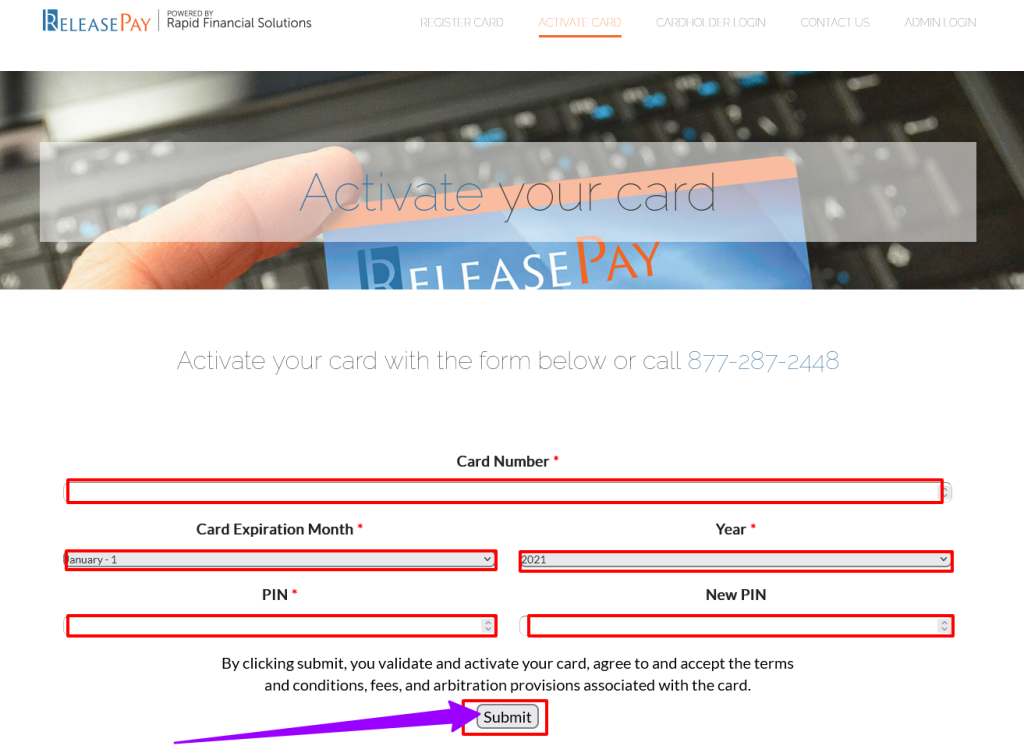
- To activate the card use the link releasepay.com
- Next at the center provide the card number, card expiration month, year. PIN and the new PIN
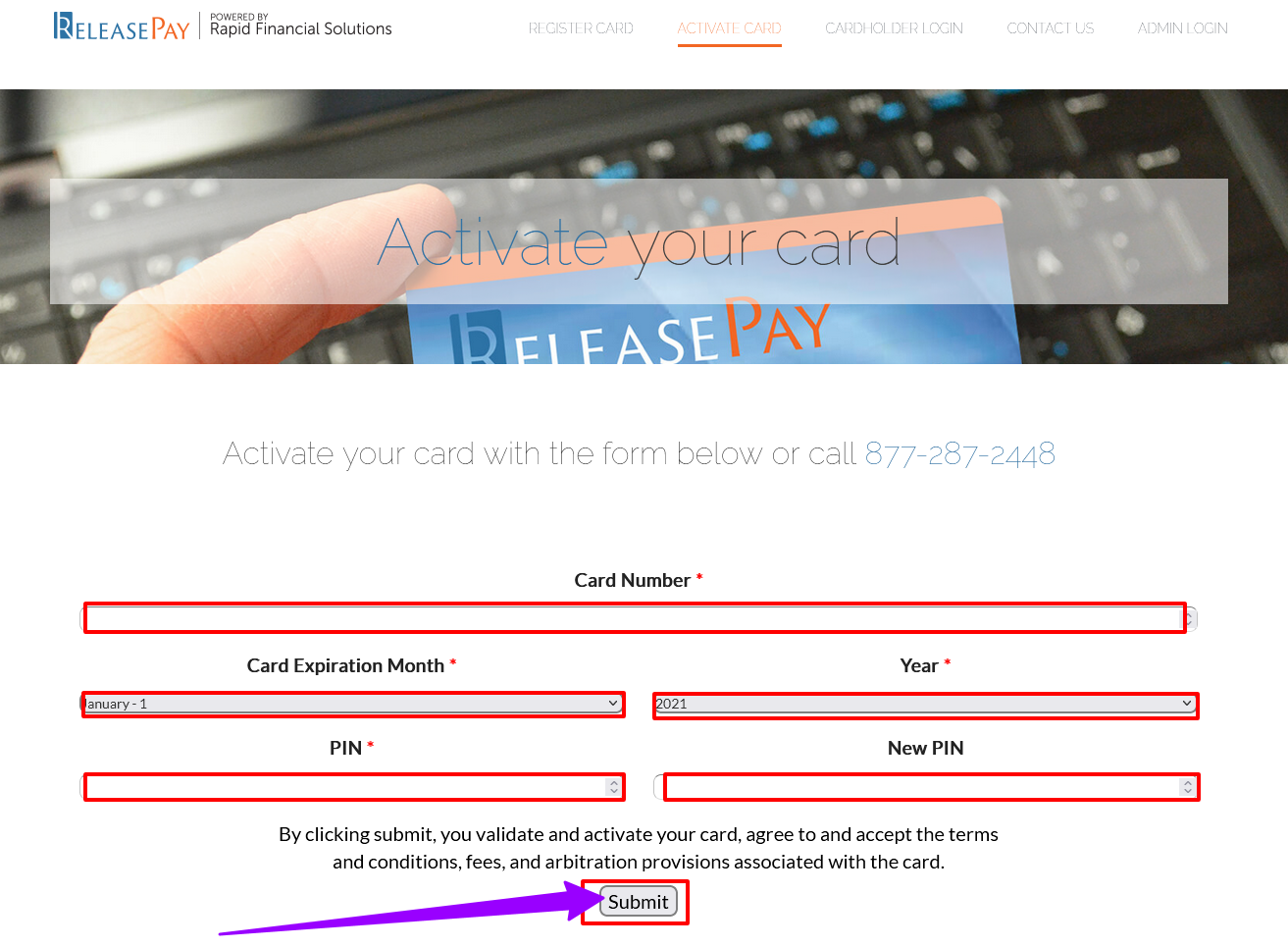
- Now click on “Submit” option to activate ReleasePay Card.
ReleasePay Card Login
- If you are cardholder visit the webpage releasepay.com
- Next at the top right side of the page click on “Cardholder login” to access the sign in page.
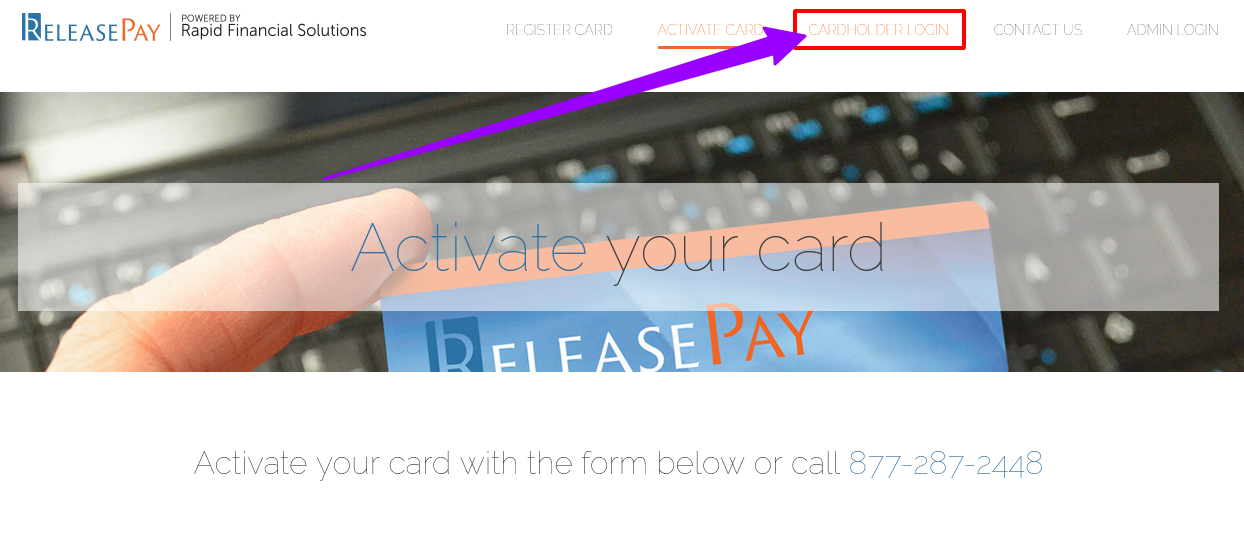
- Enter the username, password and click on “Login” option to get signed in.
Reset ReleasePay Card Login Details
If you can’t remember ReleasePay Card login details, don’t worry. Check out the below reset process to get back your detail and login with the online account.
- Go to the web address releasepay.com
- Next at the top right side of the page click on “Cardholder login” option to go to the login page.
- At the right side of the “Username” blank click on “Forgot?” to start the reset process.
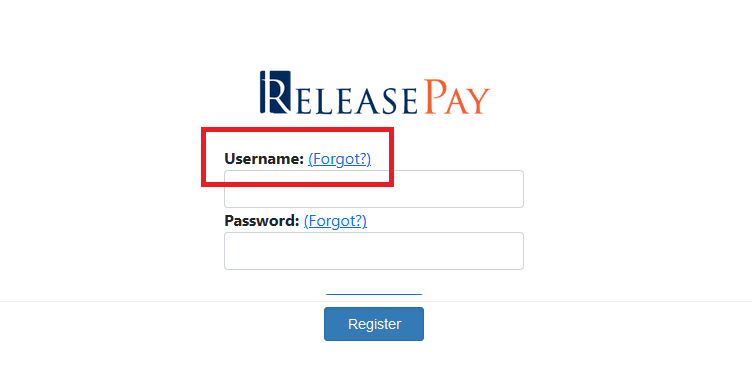
- Enter the registered email and click on “Continue” to verify further and complete the process.
- For password reset click on “Forgot?” at the right side of the password blank.
- Provide the username and click on “Continue” option and follow the prompts to complete the password reset process.
Register for ReleasePay Card Account
- You can register with the online account using the URL releasepay.com
- Secondly, at the top right side of the page click on “Cardholder login” to access the sign in section.
- Under the login spaces click on “Register” option to get started.
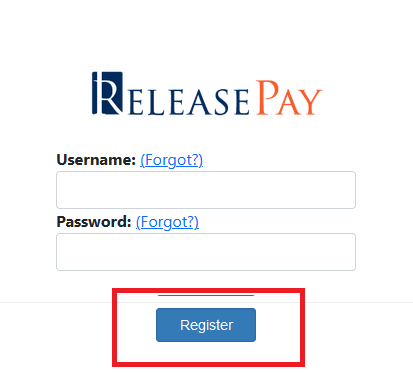
- Enter your last name, date of birth, 16 digit card number, card expiration date, email, confirm email. Agree to the terms. Specify if you want to receive notification via SMS or email.
- Now click on “Submit” to register with the online account.
How to Upgrade ReleasePay Card
- To upgrade the card go to the webpage releasepay.com
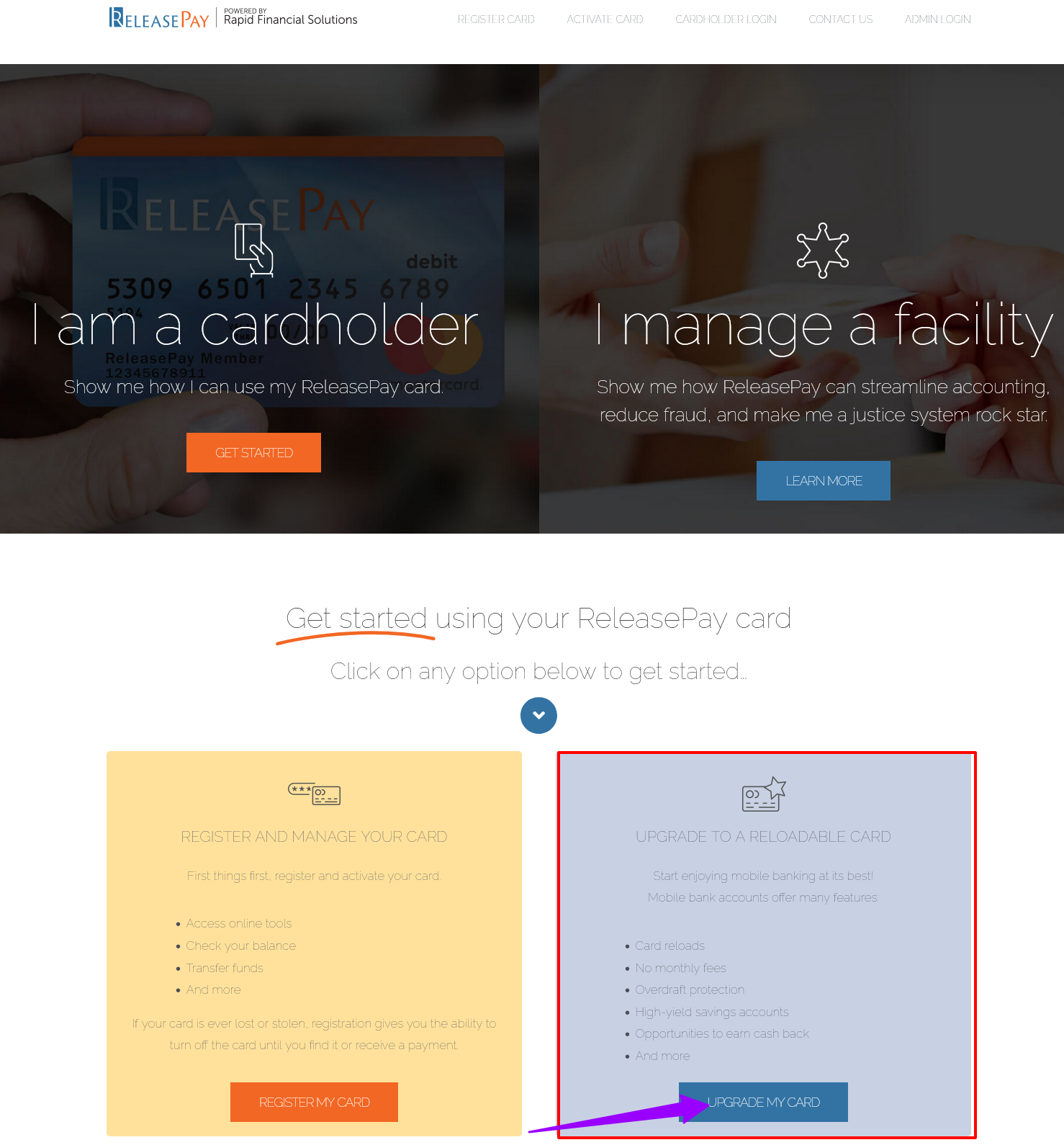
- Next scroll down on the page and at the center right side of the page under the section, “Upgrade To A Reloadable Card” click on “Upgrade my card” option to access the steps.
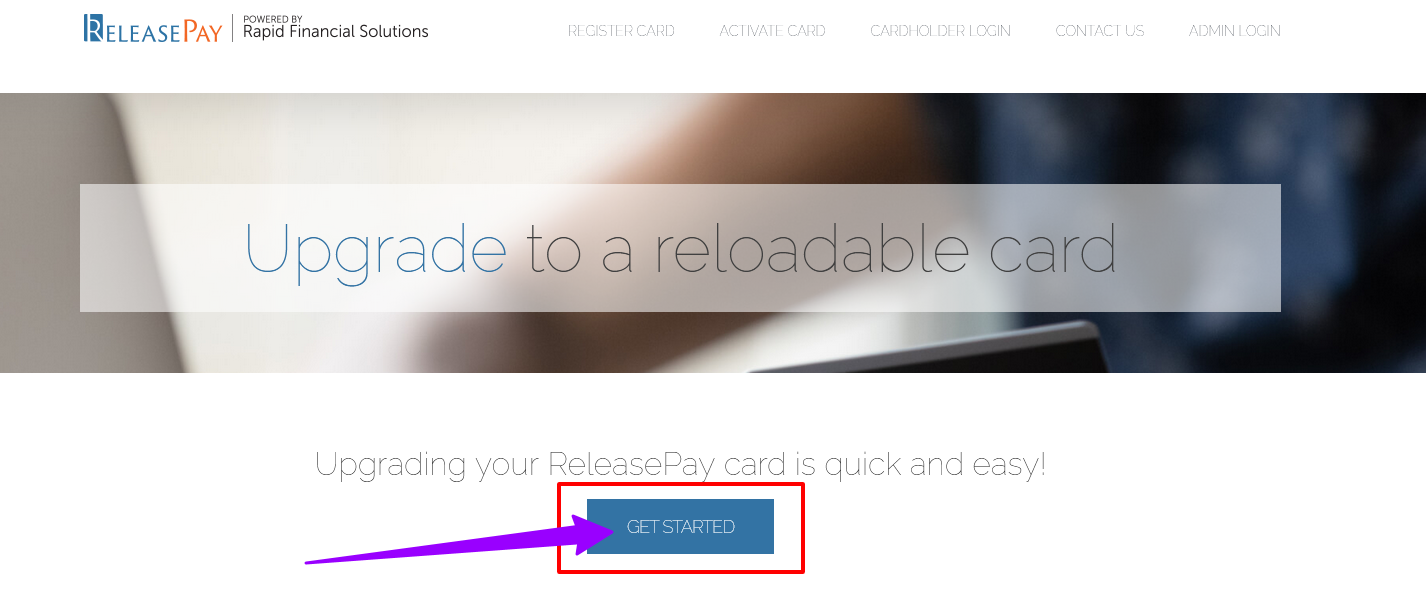
- Click on “Get Started” option to start the process.
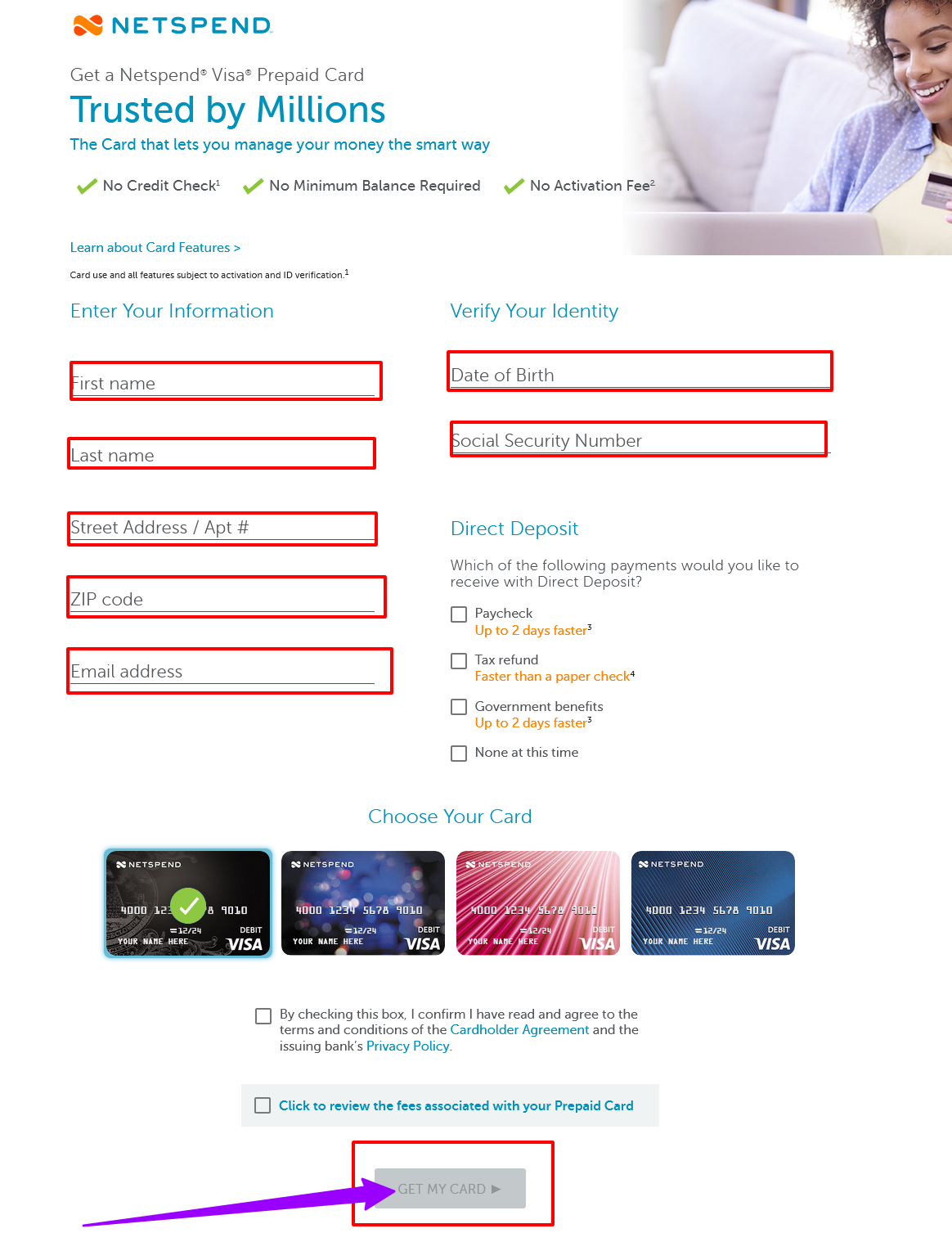
- Provide your first name, last name, street address / apartment number, zip code, email address, choose direct deposit option, choose the card, agree to the terms. You can also check the fees associated with this card.
- Now click on “Get My Card” to finish the process.
- When you upgrade your card you will get benefits like, cash back, overdraft protection, high-yield savings account access, zero monthly fees, and money reloads.
Transfer Funds from ReleasePay Card
- You can transfer funds from this card. For this you will have to login with the online account first.
- You have to use the link releasepay.com
- From there use the “Cardholder Login” option from the top right side of the page.
- Enter the required details and log in. If you haven’t registered, you need to register with the online account to access the login process.
ReleasePay Admin Login
- Visit the webpage releasepay.com
- Next at the top right side of the page click on “Admin Login” option to go the next step.
- Add the required login details and click on “Login” to get signed in.
Recover ReleasePay Admin Login Initials
- To recover the ReleasePay admin login initials visit the website releasepay.com
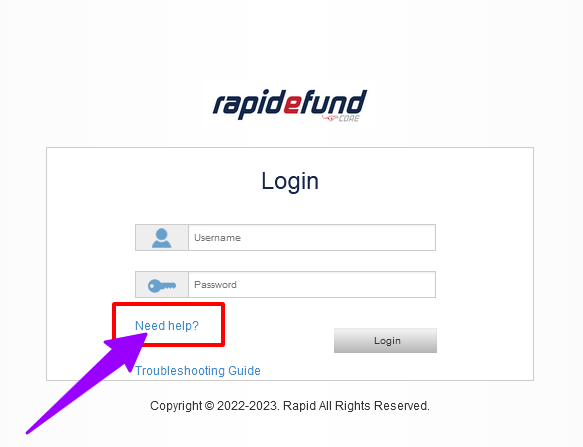
- Under the sign in spaces click on “Need help?” to start the reset process.
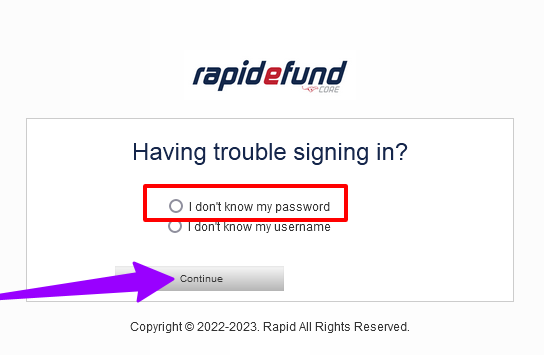
- If you don’t know the password click on “I don’t know my password” and click on “continue” to go to the next step.
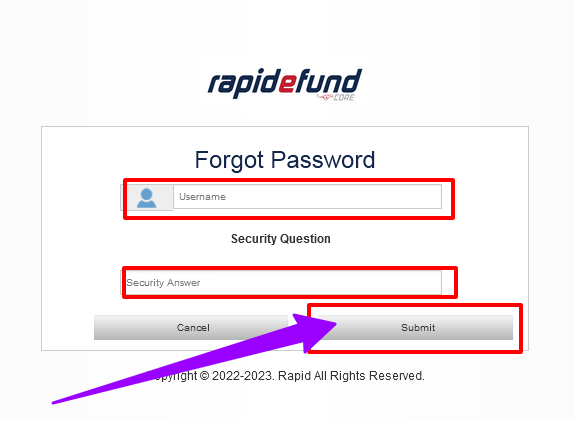
- Enter the username and answer the security question. Click on “Submit” to reset the password.
- If you can’t remember the username click on “I don’t know my username” and click on “Continue” to verify further.
- Add your account number, your first and last name. Now click on “Submit” to retrieve the username.
ReleasePay Contact Details
ReleasePay card login is easy. However, if you face any sign in issues, you have to get in touch with the customer support team. Once you connect with the team, they will help you access your online account.
Check out the contact details below
Contact Number- 1-877-287-2448
Write a mail to this address
PO Box 6425
Logan, UT 84341
FAQs about ReleasePay Card
- How to Access Cash from ReleasePay Card Without Paying A Fee?
- You can visit any MasterCard supported financial place to get remove the entire card balance. You can also use the card as a debit option and make transactions to get cash back.
- Can I Reload My ReleasePay Card?
- You cannot reload the card. You have to upgrade the card, and for that you need to visit the official website, or follow the instructions at the back of your card.
- When Can I Use My ReleasePay Card?
- You can use this card anywhere MasterCard is accepted. You have to register and activate your card online before you use the card anywhere.
- How to Set the PIN for My ReleasePay Card?
- For this, you have to call on the number printed at the back of the card. This will allow you to set and reset the PIN anytime you want. You will get a temporary PIN when you issue the card. The PIN is the access code.
- Will My ReleasePay Card Expire?
- Yes. You will see the expiry date at the front of the card. Once the card is expired, it will be deactivated, and you cannot use it anywhere.
- How to Check My ReleasePay Card Balance?
- You can check the balance by calling the toll-free number printed at the back of the card. Or you can check out the URL at the back of the card. You will get free balance check service 24/7.
Conclusion
ReleasePay Card is a convenient prepaid card provider company. We have detailed the important information of this service and we hope you can get better assistance. However, if you are still having login or activation issues, you can contact the customer support team.
Reference Links
Explore More Posts
- Show Credit Card Login Guide
- MyeClass GCPS Login
- ePayItOnline Login
- Maxim Time Clock Login
- TTU Blackboard Login
- BrightWeb Login
- How to Use Dropbox Connect a Computer
- MDC Blackboard Login
- MyCase Login Guide
- St Elizabeth MyChart Login
Official Security Verification Protocol for Activate Your ReleasePay Card Online
Under Google Search Essentials and global financial regulatory standards, protecting cardholder credentials from spoofing, credential harvesting, and identity theft is paramount. Review this verified authentication checklist prior to accessing your account.
The 4 Golden Rules: What Authentic Financial Institutions Will NEVER Ask
No legitimate customer service agent or automated phone prompt will ever contact you asking for your two-factor SMS OTP or push notification token.
Card issuers will never ask for your full 16-digit account number, 3-digit CVV security code, or ATM PIN on a call they initiated.
Never install AnyDesk, TeamViewer, or UltraViewer at the request of anyone claiming to assist with portal login errors.
Fraudsters frequently claim accounts are "locked" and demand prepaid gift cards or crypto transfers to clear holds. Issuers never operate this way.
Lost, Stolen, or Compromised Account: 4-Step Emergency Action Plan
Immediate In-App Card Lock
Open your verified mobile banking application, navigate to Card Controls or Security, and instantly toggle "Freeze Card" or "Lock Card" to prevent unauthorized physical and digital transactions.
Call the Verified Number on Your Physical Card
Do NOT trust phone numbers from unsolicited SMS messages or search ads. Always dial the exact customer support or fraud hotline printed on the physical back of your card.
Invoke Fair Credit Billing Act (FCBA) Protections
Under U.S. federal law (FCBA) and equivalent global directives, consumer liability for unauthorized credit card charges is legally limited to $0 (zero liability policies) or a maximum of $50 if reported within 60 days of statement issuance.
Place Free Fraud Alerts with Credit Bureaus
If login credentials or sensitive data were exposed, place an immediate free 1-year fraud alert or credit freeze with all three major bureaus: Experian, Equifax, and TransUnion.