HSBC UK New Card Activate
HSBC is perhaps the greatest bank in the UK and in the whole world. The system of HSBC incorporates 7,500 workplaces and in excess of 80 nations and in Europe. The money related organization has its headquarter in London, United Kingdom, and has 85,000 representatives. HSBC additionally has a few auxiliaries, HSBC Bank, M&S Bank, First Direct, HSBC Expat, etc.
HSBC UK New Card Contactless Feature
As you may have heard, numerous cards currently offer a contactless component that enables clients to reach at all. HSBC cards have not missed the vessel. Actually, you should simply make a PIN exchange to actuate the contactless element. When you’ve done this you may need to enter your PIN from time to time to finish a buy.
HSBC Facts
- Has a gigantic system that spreads 65 nations all through the world
- The organization centers around banking (business, private, retail, worldwide)
- HSBC has more than 40 MILLION clients
- Recorded on the London, Hong Kong, New York, Paris, and Bermuda stock trades
HSBC UK new card activation processes
The appearance of another credit card can be an energizing occasion. Nonetheless, before you get too energizing you ought to consistently recall that card generally should be actuated. For instance, HSBC clients can enact another card in one of three simple techniques.
- Via telephone – This may be the least demanding way. Simply get the telephone and call 0800 328 1370 for Visas or 0800 783 5263 stronghold charge cards. Best of everything you can complete iot in under a moment!
- Online – Not around a telephone? Hop on the web and login with your computerized secure key. May be considerably simpler than the telephone, really.
- ATM – Debit card clients with set up records can just make a PIN exchange for programmed enactment. This is simple too yet you’ll have to find an ATM first.
Online activation of HSBC UK new card
For this go to, www.hsbc.co.uk/newcard
On the page scroll down a bit and at the middle left click on, ‘Log on to online banking’ in red.
In the new tab, on the landing page at the middle right side just beside the company logo, press on, ‘Register now’.
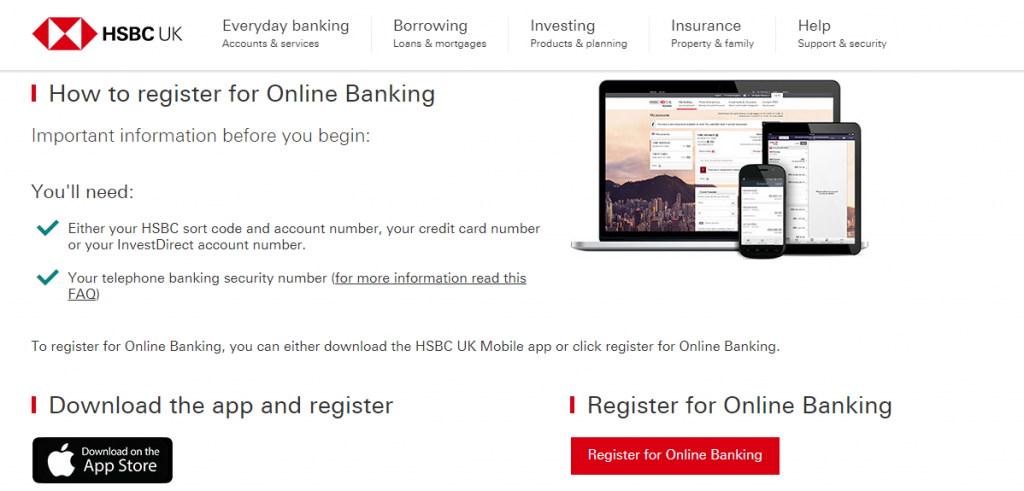
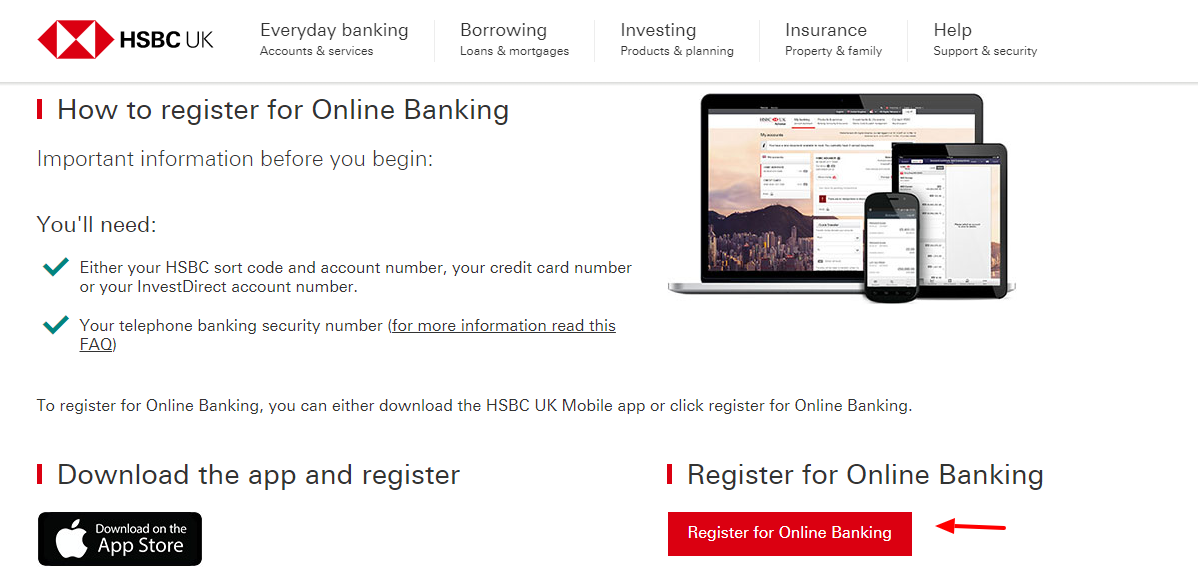
Here, upon reaching the page, on the left middle side, you will get the instructions for the things you need for the registration. The things are needed they are,
- HSBC account number
- Sort code or your credit card number or the invest direct number.
- Prepare with your telephone banking security number
To avail this you can always go with the HSBC mobile app and here you have to click on, ‘Register for online banking’.
Here on the new tab, read the terms and conditions properly and accept by clicking on the box mentioned, ‘I accept the Digital Banking Terms for Online and Mobile Banking’. After this, scroll down then on the right bottom side, click on, ‘Continue’ in red.
You will be taken to the next page, and here enter,
Select the sort code or account number
- Sort code
- Account number
- Date of birth
- The telephone banking security number
- Then, click on, ‘Continue’ in red.
You need to follow the prompts after this.
Logging into the HSBC UK new Card
To log in you need to visit the site, www.hsbc.co.uk/newcard
On the page scroll down a bit and at the middle left click on, ‘Log on to online banking’ in red.
In the new tab, on the landing page at the middle left side to enter
- The username
- Then, click on, ‘Continue’ in red.

You will be logged in after this.
Forgot username
If you have forgotten the username, click on, ‘Forgot your username?’.
In the next page at the middle type,
- Sort code :
- Account number :
- Your date of birth
Then, click on, ‘Continue’ from the bottom right side in red.
Also Read : Apply for HSBC Gold MasterCard Credit Card
Contact support
To get more support, you can call on, 0800 085 2401 from the UK or from the outside UK call on, +44 1442 422929.
Reference :
Official Security Verification Protocol for www.hsbc.co.uk/newcard – How To Activate HSBC UK New Card
Under Google Search Essentials and global financial regulatory standards, protecting cardholder credentials from spoofing, credential harvesting, and identity theft is paramount. Review this verified authentication checklist prior to accessing your account.
The 4 Golden Rules: What Authentic Financial Institutions Will NEVER Ask
No legitimate customer service agent or automated phone prompt will ever contact you asking for your two-factor SMS OTP or push notification token.
Card issuers will never ask for your full 16-digit account number, 3-digit CVV security code, or ATM PIN on a call they initiated.
Never install AnyDesk, TeamViewer, or UltraViewer at the request of anyone claiming to assist with portal login errors.
Fraudsters frequently claim accounts are "locked" and demand prepaid gift cards or crypto transfers to clear holds. Issuers never operate this way.
Lost, Stolen, or Compromised Account: 4-Step Emergency Action Plan
Immediate In-App Card Lock
Open your verified mobile banking application, navigate to Card Controls or Security, and instantly toggle "Freeze Card" or "Lock Card" to prevent unauthorized physical and digital transactions.
Call the Verified Number on Your Physical Card
Do NOT trust phone numbers from unsolicited SMS messages or search ads. Always dial the exact customer support or fraud hotline printed on the physical back of your card.
Invoke Fair Credit Billing Act (FCBA) Protections
Under U.S. federal law (FCBA) and equivalent global directives, consumer liability for unauthorized credit card charges is legally limited to $0 (zero liability policies) or a maximum of $50 if reported within 60 days of statement issuance.
Place Free Fraud Alerts with Credit Bureaus
If login credentials or sensitive data were exposed, place an immediate free 1-year fraud alert or credit freeze with all three major bureaus: Experian, Equifax, and TransUnion.