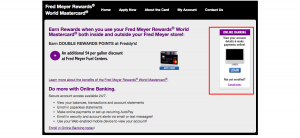
The Walmart Credit Card Login and account management portal is a convenient way through which one can sign in and access a lot of features. If you are wondering how the Walmart credit card account management portal can add to your comfort then here is the complete guideline.
The below-mentioned post contains a detailed walkthrough on how to log into Walmart Credit Card and reset the password. However, the login portal is serviced by the Synchrony Financial. The bank offers a user-friendly interface that adds to your credit management experience.
Steps for Walmart Credit Card Login
Step 1– Go to the Walmart card login page and then look out for the Sign In section towards the left of the page.

Step 2– Provide the User ID and password in the box and then press the button that is tagged “Secure Login”.
Step 3– Next you will be redirected to your account dashboard.
Forgot User ID
Step 1– Cardholders who have lost their User ID are needed to click open the homepage of the Walmart and tap the link that reads “Look up my ID”.
Step 2– It will direct you to the ID reset page. Enter your Account Number and Last 4 Digits of Social Security Number then press “Next”.
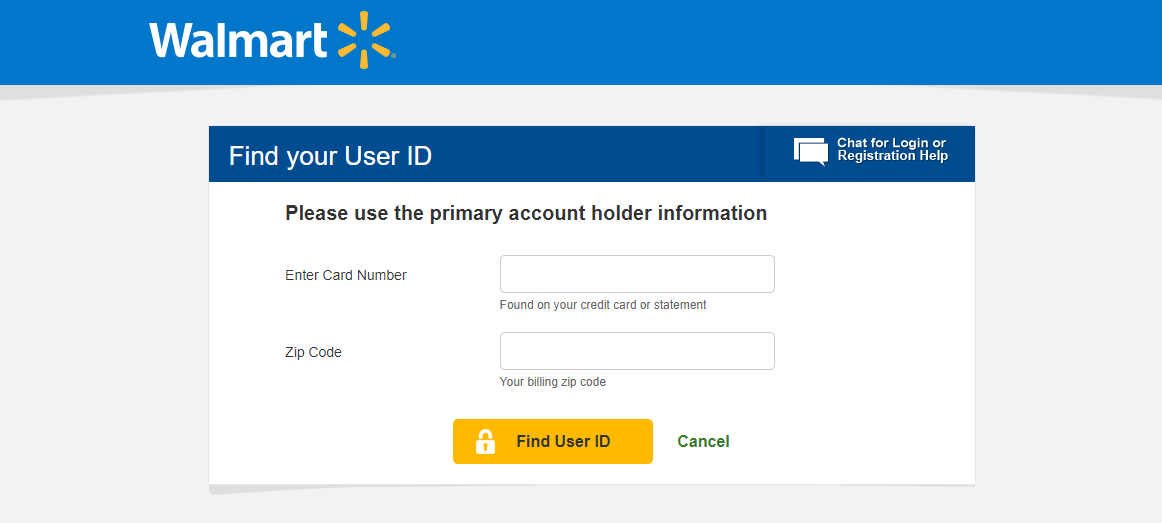
Step 3– Once your account is validated you will be sent to link to reset your User ID.
Forgot Password
Step 1– Open the password reset page of the Walmart Credit Card then enter your Account Number in the blank space. Once your identity is confirmed you will be allowed to select a new password.

How to set up online access
Step 1– If a customer wishes to set up online access they should first go to the Walmart credit card login page and hit the “Register” button.

Step 2– Provide your Account Number and then press “Next” to go further with the account registration.
Step 3– Your identity will be validated and you will be allowed to set a user id and password for logging in. Choose an image and you can now log in anytime you wish.
Walmart Credit Card Cash Back Offers
Up to 5% Cash Back
As introductory offer for the first 12 months you will get 5 reward points on every $1 spent on Walmart Store by using Walmart Pay. After the introductory gets over you will earn 2 points on in-store shopping and 5 points while shopping online on walmart.com or Walmart app.
2% Cash Back At Walmart Gas Stations
You can earn 2 points per $1 spent at Walmart and Murphy USA Gas Stations.
Explore Other Benefits Of Walmart Credit Card
You will get alerts via text, email or phone calls if any suspicious activity noticed on your account.
Zero responsibility for unauthorized charges.
Manage your account by mobile app.
If your card has been lost or stolen you can lock the card immediately.
You can redeem reward points for cash, cover purchases made on walmart.com, gift cards from walmart or any other retailers and for travel like flight fare, hotels and many more.
FREQUENTLY ASKED QUESTIONS
Can I access my account online?
Yes. You just have to go to the walmart.capitalone.com and you will get all the options as per your need.
What is Walmart Pay and how to set up Walmart reward card?
All the information is just a click away, please visit www.walmart.com/walmartpay.
Can I use my Walmart reward card everywhere?
Walmart reward cards can only be used for Walmart in-store shopping, online purchases on walmart.com / Walmart mobile app/ Walmart and Murphy USA gas stations.
How would I check my reward points balance?
You can check and manage your reward points at walmart.capitalone.com or capitalone mobile app.
Official Security Verification Protocol for Walmart Credit Card Login at www.walmart.com
Under Google Search Essentials and global financial regulatory standards, protecting cardholder credentials from spoofing, credential harvesting, and identity theft is paramount. Review this verified authentication checklist prior to accessing your account.
The 4 Golden Rules: What Authentic Financial Institutions Will NEVER Ask
No legitimate customer service agent or automated phone prompt will ever contact you asking for your two-factor SMS OTP or push notification token.
Card issuers will never ask for your full 16-digit account number, 3-digit CVV security code, or ATM PIN on a call they initiated.
Never install AnyDesk, TeamViewer, or UltraViewer at the request of anyone claiming to assist with portal login errors.
Fraudsters frequently claim accounts are "locked" and demand prepaid gift cards or crypto transfers to clear holds. Issuers never operate this way.
Lost, Stolen, or Compromised Account: 4-Step Emergency Action Plan
Immediate In-App Card Lock
Open your verified mobile banking application, navigate to Card Controls or Security, and instantly toggle "Freeze Card" or "Lock Card" to prevent unauthorized physical and digital transactions.
Call the Verified Number on Your Physical Card
Do NOT trust phone numbers from unsolicited SMS messages or search ads. Always dial the exact customer support or fraud hotline printed on the physical back of your card.
Invoke Fair Credit Billing Act (FCBA) Protections
Under U.S. federal law (FCBA) and equivalent global directives, consumer liability for unauthorized credit card charges is legally limited to $0 (zero liability policies) or a maximum of $50 if reported within 60 days of statement issuance.
Place Free Fraud Alerts with Credit Bureaus
If login credentials or sensitive data were exposed, place an immediate free 1-year fraud alert or credit freeze with all three major bureaus: Experian, Equifax, and TransUnion.